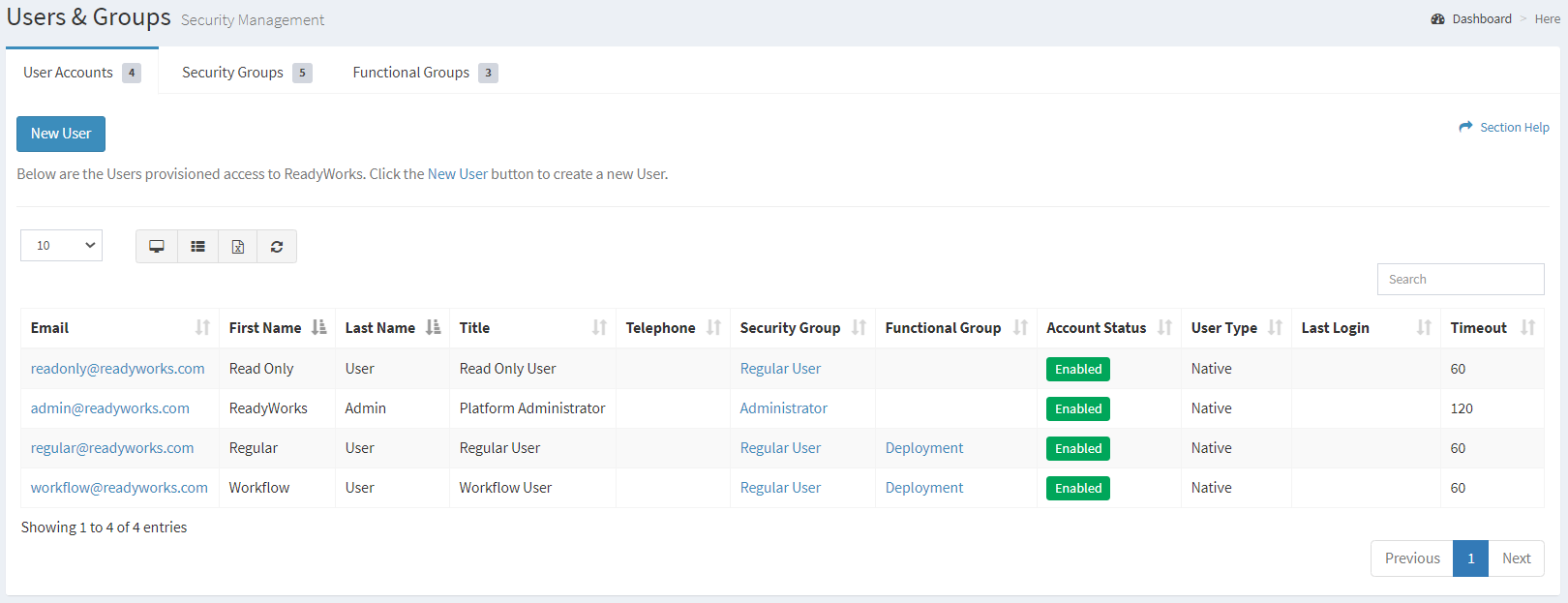
The User Accounts tab provides the ability to manage ReadyWorks user accounts.
Available operations:
- Create new user accounts by clicking on the New User button
- View a list of ReadyWorks user accounts
- Columns available
- Email – Email address of the ReadyWorks user account (ReadyWorks login ID)
- First Name – First name of the user
- Last Name – Last name of the user
- Title – Title of the user
- Telephone – Telephone number of the user
- Security Group – Security group of the user (Administrator, Regular User, Regular User (No Delete), Read Only User, Workflow User, Custom Security Group)
- Functional Group – Functional group the user is assigned to
- Account Status – Whether the account is enabled or disabled
- User Type – Type of the user account (Native or SSO)
- Last Login – Date and time of the last login activity of the user
- Timeout – Amount of inactivity time (in minutes) before the user is logged out
- View the properties of user accounts by clicking the hyperlink of the Email field
- Delete user accounts by selecting a user account (row) and clicking the Delete User button on the toolbar
- You can also change the number of visible rows in the table, view full screen, set column visibility, export to CSV or Excel, refresh the table and search for text
Viewing User Accounts
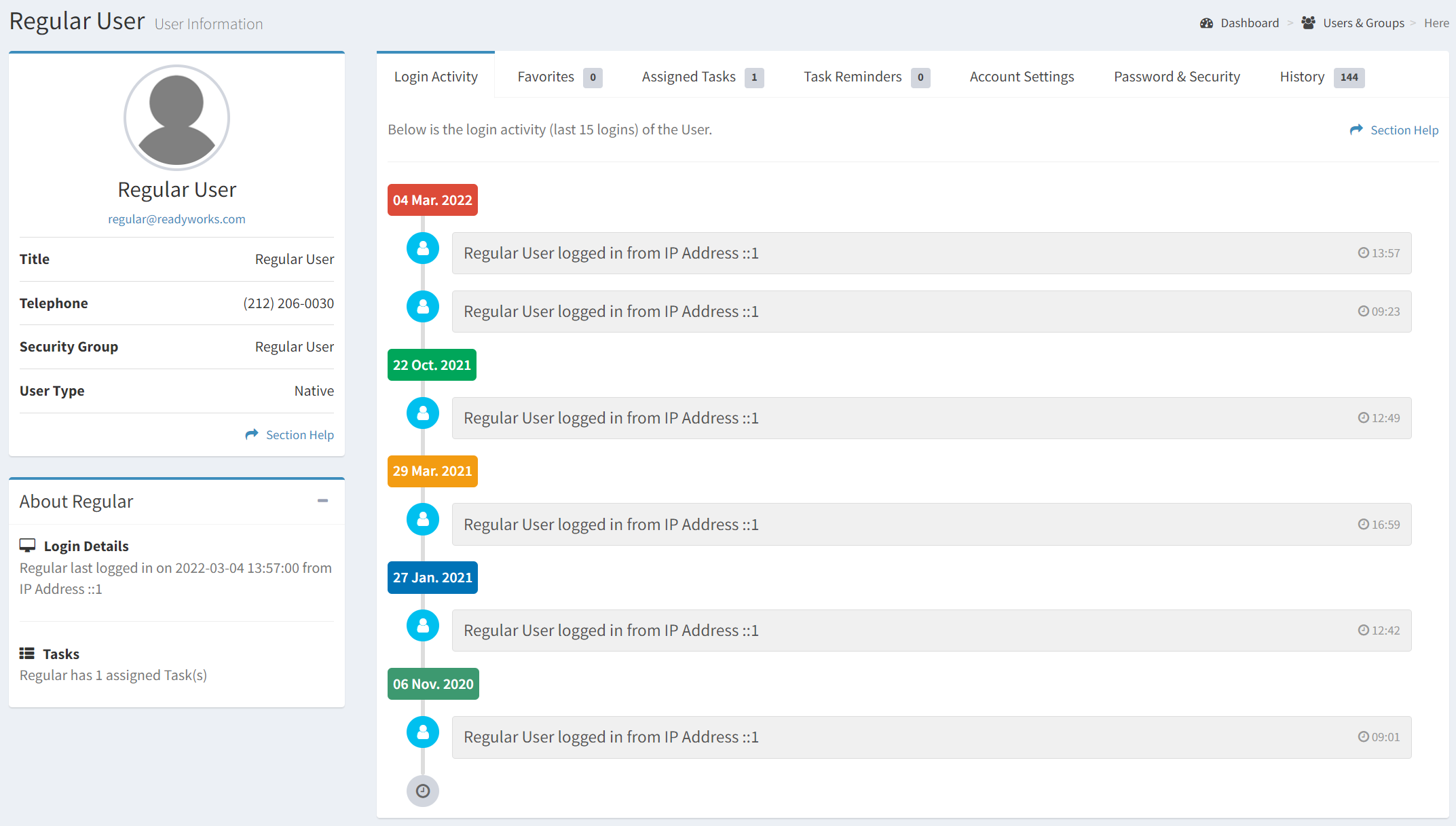
The View User page provides the ability to view the properties of a user account and is accessed by clicking the hyperlink of the user account Email field. Administrators can view any user account. ReadyWorks users can only view their own user profile. The page can be accessed from the User Accounts tab or from a user viewing their own profile.
Available operations: