Performance issues can significantly impact the usability and effectiveness of your reports. When dealing with performance problems, consider the following approaches:
1 - Identify the bottleneck:
Determine where the performance issue is occurring:
- Data retrieval: Slow query execution from the database
- Data processing: Complex calculations or large data volumes
- Rendering: Issues with displaying large amounts of data in the browser
2 - Analyze query performance:
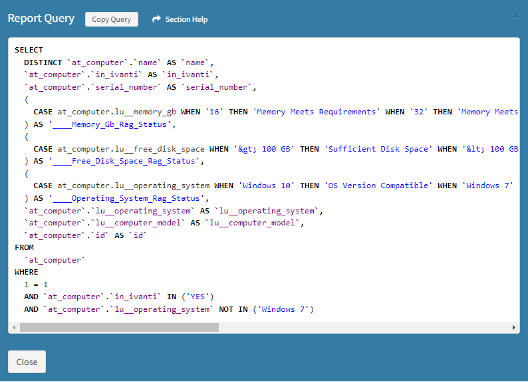
Work with your ReadyWorks administrator to examine database queries:
- Use query execution plans to identify slow-running queries
- Look for opportunities to optimize WHERE clauses or JOINs
- Consider adding appropriate indexes to frequently queried columns

3 - Optimize data volume:
Reduce the amount of data being processed:
- Implement more restrictive filters or WHERE clauses
- Use data sampling for large datasets where appropriate
- Consider aggregating data at a higher level (e.g., daily instead of hourly)
4 - Review calculated columns:
Examine any custom calculations in your report:
- Simplify complex calculations where possible
- Consider pre-calculating frequently used metrics and storing the results
- Use incremental calculations for time-based metrics rather than recalculating from scratch
Remember, performance optimization is often an iterative process. Make changes incrementally and test thoroughly after each modification to ensure you're moving in the right direction.